

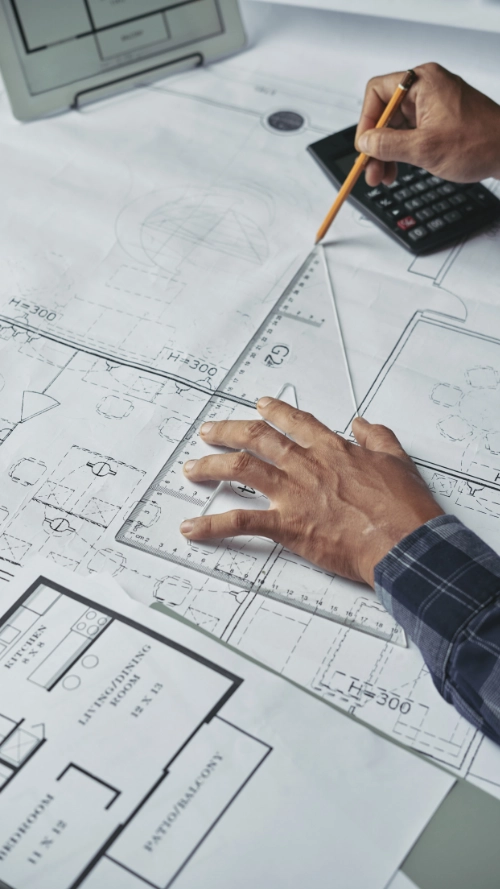
Obelisk's CAD Drafting service delivers clean, accurate 2D drawings that communicate design intent with absolute clarity. From site plans to construction details, our CAD work provides documentation ready for approvals, permits, and construction no ambiguity, just reliable drawings.
CAD Drafting Services Australia
We understand that not every project requires a full BIM workflow. For teams that need fast, cost-effective drafting with proven reliability, our CAD drafting service provides exactly that, technical accuracy, clear line work, and documentation that aligns with Australian standards.
Whether it's updating existing drawings, creating new documentation, or preparing permit sets, we deliver CAD drafting that's precise, professional, and ready when you need it.
Types of CAD Drafting We Provide
Our CAD design and drafting services cover the full range of 2D documentation Australian projects need, prepared in AutoCAD and delivered in DWG and PDF.
Architectural CAD Drafting
Floor plans, elevations and sections for DA and CC submissions, annotated and dimensioned to AS 1100 conventions. Moving a project into BIM? See our CAD to Revit conversion service.
Structural CAD Drawings
Structural layouts, footing plans and connection details coordinated with the engineering design. For coordinated 3D structural models, see Revit drafting and modelling.
Shop Drawings
Fabrication-ready drawings for steel, joinery and specialist trades, drawn to the trade's standards and checked before issue. Read our shop drawings guide.
Site Plans and Construction Details
Site layouts, setbacks and construction details for lodgement and contractor use, with clear notation and consistent cross-referencing.
CAD for Approvals and Permits
Complete permit and approval drawing sets prepared to council requirements, plus as-built drawings and redline updates during construction.
Turnaround Times and Quality Assurance
Turnaround Times
| Scope | Typical turnaround |
|---|---|
| Simple drawings (site plans, single floor plans) | 1–3 days |
| Small residential projects (single dwelling documentation) | 1–2 weeks |
| Larger commercial or multi-unit projects | 2–4 weeks |
| Urgent drawings | 24–48 hours on request — contact us to confirm availability |
Quality Assurance
Every set is checked against your brief and drafting standards, reviewed for compliance with the NCC and relevant Australian Standards, and returned for your comments before final issue in DWG and PDF.
Our Process
Our every step is intentional and each detail deliberate. Together, we create a process that ensures quality, compliance, and confidence in what we build.

The technology behind us
We combine global-standard tools to guarantee quality results you can depend on.


Collaborate Pro


Navisworks


Collaborate Pro
Navisworks